Showing posts with label girl. Show all posts

Thursday, October 18, 2012

Exploring Memory by Hazel Mitchell

Lately I've been actively working on remembering my childhood. My main motivation for this (as my career in children's illustrations goes along and I find myself illustrating characters in different situations) is I that find myself thinking - 'what would I have done or felt in that scenario?'

I've never been a diarist. And especially not as a child. Life for me was somewhat topsy turvy and I never felt the need to write it down! When I learned to draw and record what I saw ... that was a kind of diary. But so few of those drawings remain. The memories, the places, the people, I am sure they were all there in the lines and marks I made. Just as they are now ... when I look at a drawing in a sketch pad it brings back  what I was thinking or feeling and hearing and smelling. It's like a little memory capsule.


Then I read Linda Barry's books 'Picture This ' and 'What it is'. Both a kind of stream of consciousness laid down in what at first seems a random way, and then, you begin to see into Lynda's mind. In the repetition of the characters, the marks, the train of thought. I was hooked!


Writer's, of course, often use exercises to jog memories, to reconnect with childhood thoughts and feelings. But, as I rooted around on line to find similar ways of jogging the mind, I found not so many ideas for illustrators.


I began my own experiment and I call it 'Look Back in Candour'. It's more like 'snapshots' than a diary, and sometimes the snapshots lead me somewhere I wasn't expecting to go. At times the memories are hard to recall, occasionally sad, but more often happy. There is so much hidden there, in my own story, it's like dipping into a fathomless reservoir. And it's bringing new significance to my other projects. Alongside the drawings, I have begun to make some abstract notes to noodle into my 'rememberings' so I don't forget again.

And the best thing? I am finding there are story ideas in there a-plenty!

You can find it online at https://lookbackincandour.wordpress.com/.


Toodles
Hazel
http://hazelmitchell.com

Wednesday, February 22, 2012

Cloudwatching - by Debbie Ridpath Ohi

This piece began as one of my Daily Doodles, where I experimented with a very loose and very sketchy line (no initial sketch/shapes) in Photoshop CS5:

I initially envisioned the little girl and her monster to be on a rooftop, but decided to put her on a hillside looking up at clouds in the sky instead:


I added some subtle shading in the bottom part of the hill to add a feeling of depth. I also used more than one pale grey for the clouds...again to add some texture and depth.


Next, I colored in the girl and the monster. Then, to make the hill look more like a natural part of the illustration, I added grass and flowers:


I drew in the stalks of grass by hand (digitally, that is) but did some cheating -- I only did a few sections, then copied and pasted those sections around the hill, altering the rotation a bit so it wouldn't look so obvious I was cutting and pasting. Then I added in some extra blades of grass here and there by hand.

Here's a screenshot of my layers, for those curious:


Yes, I love layers!

Next up: the fantabulous FRED KOEHLER.

I'm starting to blog about the process of creating I'm Bored (written by Michael Ian Black, illustrated by yours truly) with Simon & Schuster Books For Young Readers, for those interested. Included: photos, quotes, sketches & process info from the very beginning, working with editor Justin Chanda and art director Laurent Linn, through to finals and launch. I'd be delighted if you joined me.


Wednesday, November 30, 2011

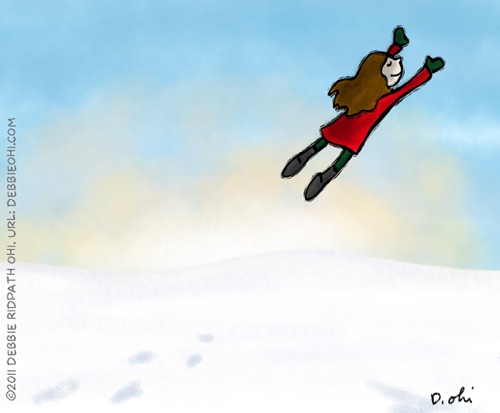
Snow Flight: created with the Sketchbook Pro app on the iPad by Debbie Ridpath Ohi

FinalSnowFlight v2 600

Can't believe how quickly this year went by! This was my first year with Pixel Shavings, and I want to thank Hazel, Russ, Sheri, Fred and John for all their encouragement. I feel honoured to be part of this amazingly talented group.

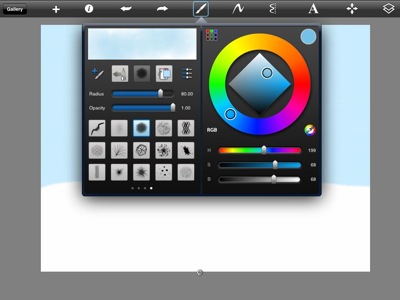
This week, I'm going to show you how I created my winter-themed illustration, SNOW FLIGHT, using Autodesk's Sketchbook Pro app for the iPad. First I created the sky in a separate layer using a flat blue. Then I added texture in a slightly darker blue.
OHI03

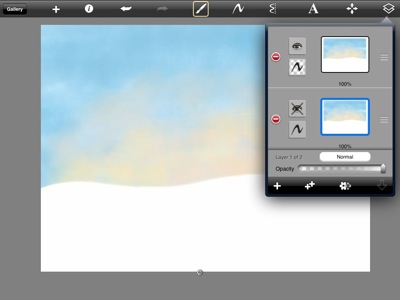
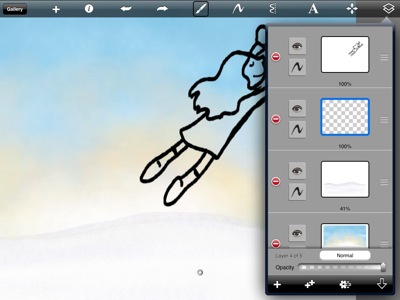
One of the advantages of working digitally is that it's easy to make copies, in case I screw up. Before making a radical change to any layer, I always make a copy of that layer and then hide it, just in case I need it later. In the image below, you can see how I've hidden the extra layer by clicking on the eye icon. In the active/topmost layer, I then activated the transparency mask and then added a sunrise texture/color. Because of the mask, I'm only painting on blue part of the picture, not the snow.
OHI05

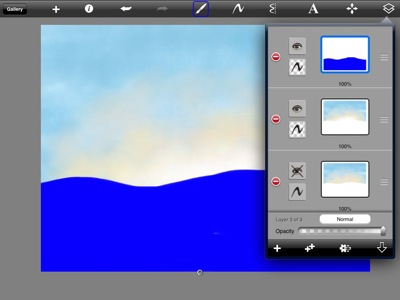
In a new layer, I created a separate transparency mask for the snow. At first I tried doing this with white but found it too confusing so switched to an obnoxiously bright blue:
OHI07

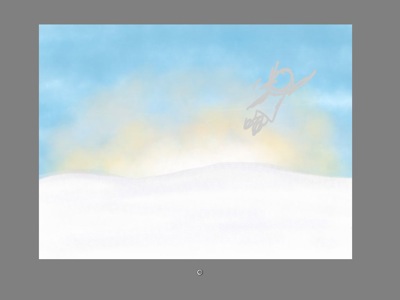
After activating the transparency mask for the ground and painting it white, I added some texture to the snow. Then in another layer (I LOVE LAYERS), I did a quickie sketch of the flying girl.
OHI12

Next, I drew the girl. Um…as you can tell, I pretty much ignored my original sketch. :-) After I finished the ink drawing, I deleted the sketch layer.
OHI14

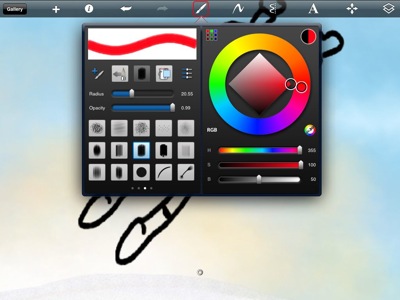
Next, I added color. I should note that I always hated coloring when I was in school because I found it so boring; I was always the kid in school who drew stuff so other kids could colour. Now I love it! Coloring's much easier digitally because I can make the brush really big so it doesn't take as long. Then I can add textures.
OHI15

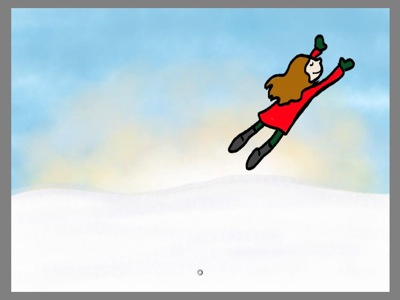
Here's what the colored version looked like:
OHI16

I didn't like the way the black outline looked -- too boring and flat compared to the background -- so decided to add my woodcut effect, This is gradually becoming one of my "go-to" illustration styles because it feels so natural to me.

In Photoshop CS5, I use the Layer Mask tool but in this app, I used the Eraser tool instead:
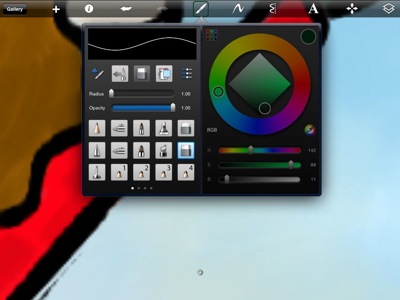
OHI19

I started manually erasing bits from the ink outline. This is the most time-consuming part of the process:
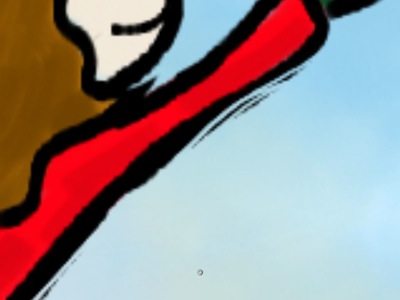
OHI20

But I think the results are well worth it (you can see a bigger version here):
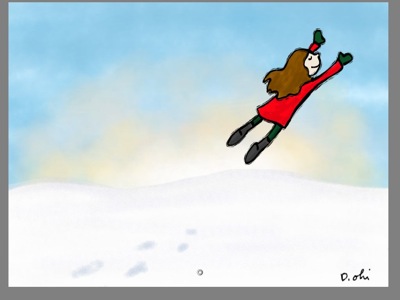
OHI25

I added some footprints in the snow and signed it, then took the image into Photoshop (the app lets you save in PSD format, yay) and added more shadows as well as adding the copyright notice. I could have done this on my iPad using Sketchbook Pro & other apps, but I was already in Photoshop.
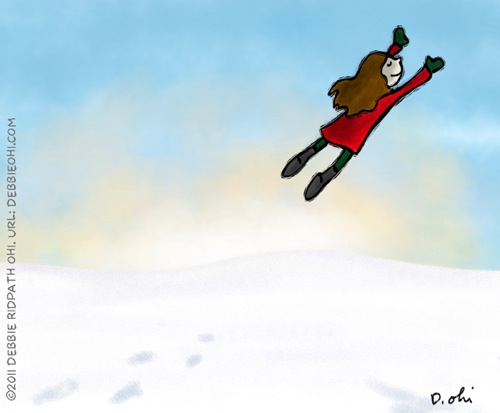
FinalSnowFlight v2 600

In case you were curious, I used a Pengo Stylus to draw on my iPad. It was a gift from my hubby -- he knows I find art supplies & tech hardware much more romantic than flowers and jewelry. :-)


Next up: a post from the fantabulous Fred Koehler!

- Debbie

DebbieOhi.com
On Twitter: @inkyelbows and @iPadGirl
Illustrator of I'M BORED, a new picture book by Michael Ian Black (Simon & Schuster Books For Young Readers, Fall/2012)
